Motorcycle Keyless Start System (More to Come)
Replacing ignition keys with MQTT-based control and GSM geofencing
Overview
This project started as a personal challenge: could I replace the traditional motorcycle key with something smarter, something I could automate, monitor, and extend later?
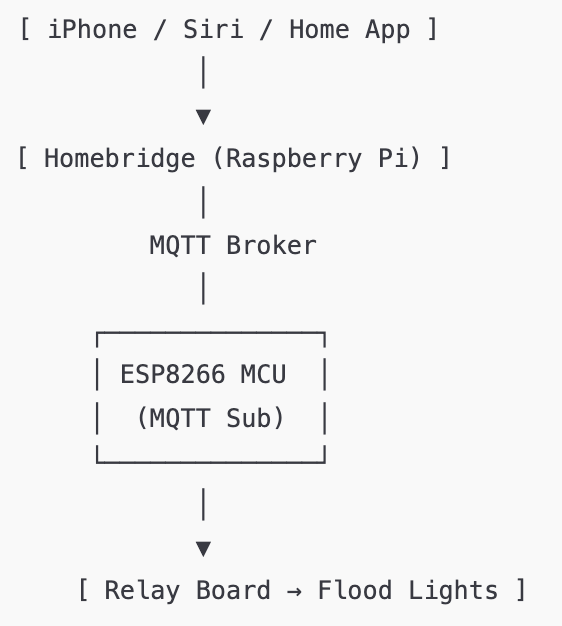
The result became a full keyless ignition system built around an ATmega328P microcontroller using MQTT as the main control method. Instead of a physical key, the bike responds to MQTT topics—start, stop, fuel pump, lights—handled through lightweight messages on the network.
The SIM800L module is included for geofencing. It reports the location and notifies me if the bike moves outside a defined boundary.
Hardware Used
- ATmega328P-PU microcontroller
- SIM800L GSM module (location + geofencing alerts)
- IRFZ44N MOSFETs (x3) for high-current loads
- Flyback diodes (1N5408)
- 220Ω gate resistors, 10kΩ pull-downs
- LM2596 buck converter (12V → 5V)
- 12V motorcycle battery
- Terminal blocks and wiring
Features
- Start/stop motorcycle via MQTT messages
- Remote control of fuel pump and main lights
- MOSFET-based switching instead of mechanical relays
- Geofencing alerts via SIM800L
- Built with future mobile or cloud integration in mind
How It Works
The system maintains an MQTT connection over a small WiFi module attached to the ATmega. When a message such as bike/start or bike/lights/on is received, the microcontroller executes the corresponding action:
- Power the fuel pump
- Run the starter motor for a few seconds
- Handle light and auxiliary commands
Meanwhile, the SIM800L periodically sends GPS coordinates and raises an alert if the bike crosses a pre-set radius.
All high-current paths run through MOSFET stages for safety and fast switching.
Wiring & Installation
After finishing the electronics and firmware, I spent a good amount of time on the physical wiring.
I followed the motorcycle’s service manual closely, running the low-voltage control wires alongside the original harness and routing everything through the handlebars the same way the factory wiring is done.
The goal was to make the system feel native — nothing loose, nothing improvised.
Every cable was sleeved, heat-shrunk, and tied into place so the final result looks and behaves like part of the original motorcycle wiring loom.
Schematic
Yamaha Raider's Ignition circuitry
Next Steps
- Move from breadboard to a custom PCB
- Add RFID/NFC as a fallback authentication method
- Build a mobile UI for MQTT control
- Add battery/system health monitoring
Status
A working prototype is already in place, physically - Need to work more on the code though!
Images